The easy way
- Install Stash, move it to Applications and open it once.
- Open Settings → AI and click Connect next to Gemini.
- Start a new session.
Stash changes only its own entry, keeps a one-time backup of the file, and stops without changing anything if the file is locked or looks unusual.
By hand
In ~/.gemini/settings.json:
{
  "mcpServers": {
    "stash": {
      "command": "/Applications/Stash.app/Contents/MacOS/Stash",
      "args": [
        "--mcp"
      ]
    }
  }
}Check it
Run gemini mcp list, or type /mcp in a session.
Leave “trust” off
Gemini CLI can skip its confirmations for a server you mark as trusted. For something that reads your clipboard, we'd keep the confirmations.
Try asking
- “Summarise the three articles I copied links to today.”
- “Use the log line I just copied.”
- “What did I copy from the spreadsheet?”
Antigravity
Google's editor has its own file, and its own Connect button in Stash.
What it can see
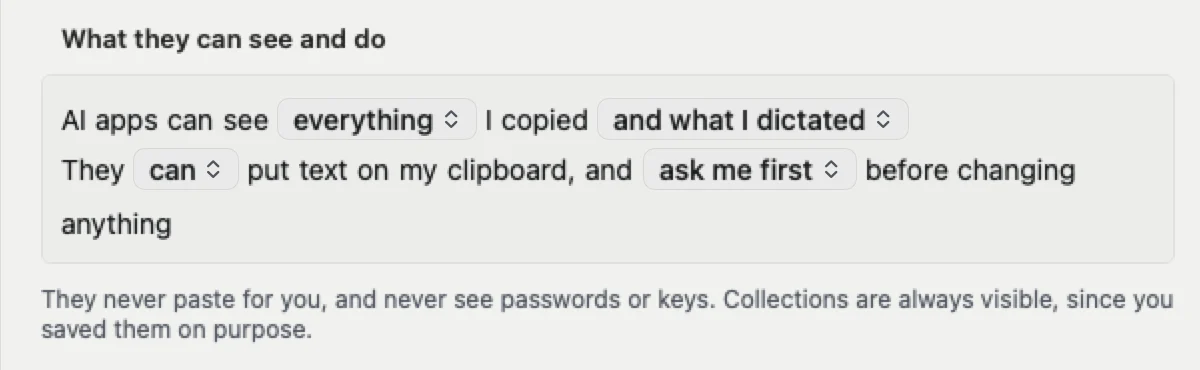
At first: your whole history, collections, dictations, snippets and dictionary, except secrets Stash recognises. What it reads goes to that app and usually to its company. Narrow it in Settings → AI: the last hour, day, 7 or 30 days, with or without dictations. The full list.
Questions
Does it work with the Gemini app or website?
No. This is for the command-line tool on your Mac.
Will my clips be used by Google?
What the tool reads goes to Google's service under your account's terms. Limit how far back it can look if that matters.
How do I remove it?
Disconnect in Stash, or gemini mcp remove stash.